
Colemak vs Dvorak vs QWERTY: Which Keyboard Layout is Fastest?
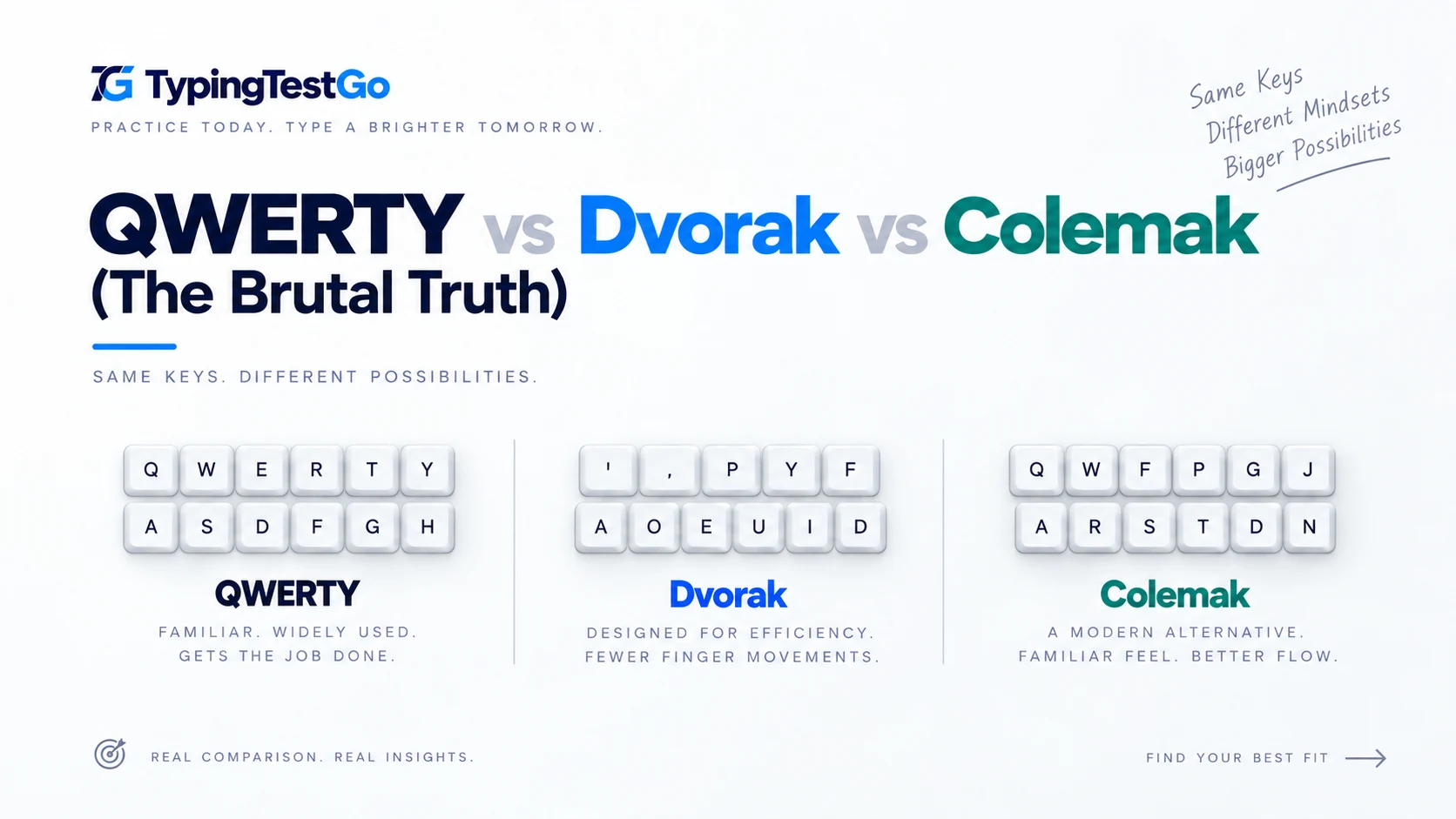
I spent six months fighting my own muscle memory to learn Dvorak. I hit 80 WPM, felt the "flow," and then eventually switched back to QWERTY. Why? Because the internet lies to you about keyboard layouts.
If you're reading this, you're likely looking for a shortcut to 120 WPM. You've heard that QWERTY was "designed to slow you down" (it wasn't) and that Dvorak will "double your speed" (it won't). This guide isn't a technical spec sheet; it's a field report on what actually happens to your brain, your hands, and your productivity when you decide to leave QWERTY behind.
Which layout topics are covered in this guide?
Is QWERTY actually designed to slow you down?
The first thing people tell you when they advocate for Dvorak or Colemak is that QWERTY was designed to "jam" old typewriters by slowing you down. This is a massive exaggeration.
While QWERTY was designed to separate common letter pairs, modern research shows that skilled QWERTY typists are just as fast as alternative layout users. The record for QWERTY is over 200 WPM. If you type 40 WPM on QWERTY, switching to Dvorak won't make you 80 WPM-it will make you 10 WPM for three months.
QWERTY Reality
It's universal. Every PC, library, and airport terminal in the world "speaks" QWERTY. Transitioning takes 0 hours.
The Efficiency Trap
Dvorak reduces finger travel by 60%, but unless you have chronic pain, your brain will struggle with the "switching tax" more than the distance.
The Honest Review
Unless you suffer from RSI (Repetitive Strain Injury), staying on QWERTY and practicing 20 minutes a day on TypingTestGo will get you to 100 WPM faster than switching layouts ever will. If you do have pain, check our ergonomics guide first.
Did You Know?
The word "typewriter" can be typed entirely using the top row of a QWERTY keyboard - this was intentional marketing by early manufacturers to impress potential buyers.
What is the brutal reality of using Dvorak on public computers?
What happens when you go to the library? Or use a colleague's laptop to show them a quick file? Or your main keyboard breaks and you have to use a spare?
If your brain has successfully remapped to Dvorak, your ability to type on QWERTY will likely collapse. I once spent 5 minutes trying to type a simple URL on a friend's computer because my fingers kept trying to find 'A' where 'S' should be. It is humiliating and frustrating.
The Shortcut Nightmare
In QWERTY, Ctrl+X, C, and V are right next to each other, perfectly positioned for your left hand while your right stays on the mouse. In Dvorak, these survivors are scattered across the board. You’ll be reaching across your body to copy-paste like a beginner again.
Is Dvorak actually dead in 2026?
Not dead, but "legacy." While Dvorak was the gold standard for ergonomics for 80 years, modern layouts like Colemak have fixed its biggest flaws (like the heavy right-hand bias and the shortcut scattering).
How do Colemak and Canary compare in the 2026 layout tier list?
If you must switch, don't just pick the oldest alternative. Here is the objective tier list of keyboard layouts in 2026 based on community sentiment and ergonomic data.
| Tier | Layout | The Honest Verdict |
|---|---|---|
| S-Tier | Colemak-DH | The current king. Corrects the "lateral stretching" of base Colemak. Keeps shortcuts somewhat safe. |
| A-Tier | Canary / Graphite | Modern, algorithmically optimized layouts. Extreme comfort, but very niche support. |
| B-Tier | QWERTY | The "Good Enough." You can hit 150 WPM here if you stop making excuses and start practicing. |
| C-Tier | Dvorak | The "Grandpa" of layouts. Still great for comfort, but feels clunky and unbalanced in a modern software world. |
Why Colemak-DH Wins
Colemak-DH is designed specifically for "columnar" and "split" keyboards. It prioritizes the strongest fingers and keeps your hands in a "closed" position, reducing the strain on your pinkies-the weakest part of any typist's hand.
Should you actually switch to a new keyboard layout?
Before you commit to 200 hours of frustration, answer these questions honestly:
- Do you have medical pain? If yes, switch to Colemak-DH and buy a split keyboard immediately.
- Are you doing it for speed? If yes, stop. Improve your touch-typing on QWERTY first. You are likely lacking technique, not a better layout.
- Do you work on multiple computers? If yes, stay on QWERTY. The mental friction of switching back and forth is exhausting.
- Do you enjoy the "hobby"? If you just like the nerd-factor of learning a new skill, then yes-the community is great and it's a fun project.
The "Halfway" Warning
There is no such thing as "trying" a new layout. You either commit to a total brain-wipe for 3 months, or you fail. Shuffling between layouts in the first few weeks will just make you bad at both.
Is your current layout efficient?
We've built a heat-map tool to show you exactly how much your fingers travel on QWERTY vs. Colemak. See your personal efficiency score.
Test My Layout Efficiency →How long does it take to learn a new keyboard layout?
What is the week-by-week progress expectation for Dvorak?
| Week | Expected Speed | Focus Area |
|---|---|---|
| 1-2 | 5-10 WPM | Learning key positions, home row mastery |
| 3-4 | 15-20 WPM | Building muscle memory, reducing lookups |
| 5-8 | 25-35 WPM | Increasing accuracy, common word patterns |
| 9-12 | 40-50 WPM | Matching old QWERTY speed, building confidence |
What are the best tips for a successful layout transition?
- Cold turkey approach: Switch completely, don't alternate between layouts
- Use keyboard covers: Prevent peeking at keys
- Practice daily: 30-60 minutes minimum
- Start with typing tutors: Use specialized software before real work
- Set realistic timeline: Expect productivity dip for 1-2 months
Recommended Learning Resources
- TypingTestGo.com for speed testing
- Keybr.com for Dvorak/Colemak learning
- Monkeytype.com with custom layouts
- Your OS's built-in layout switcher (no software needed)
Finger Travel Distance and Keystroke Efficiency Compared
The primary scientific justification for alternative layouts is biomechanical conservation: reducing physical finger travel, minimizing same-finger bigrams (typing two consecutive characters with the same digit), and maximizing comfortable inward rolls.
| Metric | QWERTY | Dvorak | Colemak / Colemak-DH | Workman |
|---|---|---|---|---|
| Home Row Usage | ~32% | ~70% | ~74% | ~70% |
| Daily Finger Travel (8-hr day) | 16–20 miles (25–32 km) | ~1.1 miles (1.8 km) | ~1.2 miles (1.9 km) | ~1.3 miles (2.1 km) |
| Same-Finger Bigrams (SFBs) | ~6.5% (High friction) | ~2.6% (Low) | ~1.6% (Extremely low) | ~1.8% (Very low) |
| Hand Alternation vs. Rolling | Scattered, frequent row jumping | High alternation (vowels left, consonants right) | High inward rolling sequences | Vertical motions prioritized |
| Ctrl+Z/X/C/V Shortcuts | Native default | Scattered across layout | Preserved in original positions | Partially displaced |
While QWERTY forces your fingers to hurdle across rows—traveling over twenty times farther each workday—human neural adaptation compensates surprisingly well. If you choose to switch, do so for wrist and finger tendon relief, not with the expectation of an instant doubling of typing speed.
What is the final verdict on the layout debate?
The "best" keyboard layout is the one that allows you to work without pain and without thinking about your fingers. For 95% of the population, that layout is QWERTY. It is fast enough, universal, and doesn't require a 3-month productivity disruption to learn.
However, if your fingers ache at the end of the day or you suffer from early RSI symptoms, migrating to an ergonomic split mechanical keyboard with Colemak-DH offers scientifically proven relief. Test your current baseline on our 1-minute typing test before switching to accurately track your adaptation curve.